
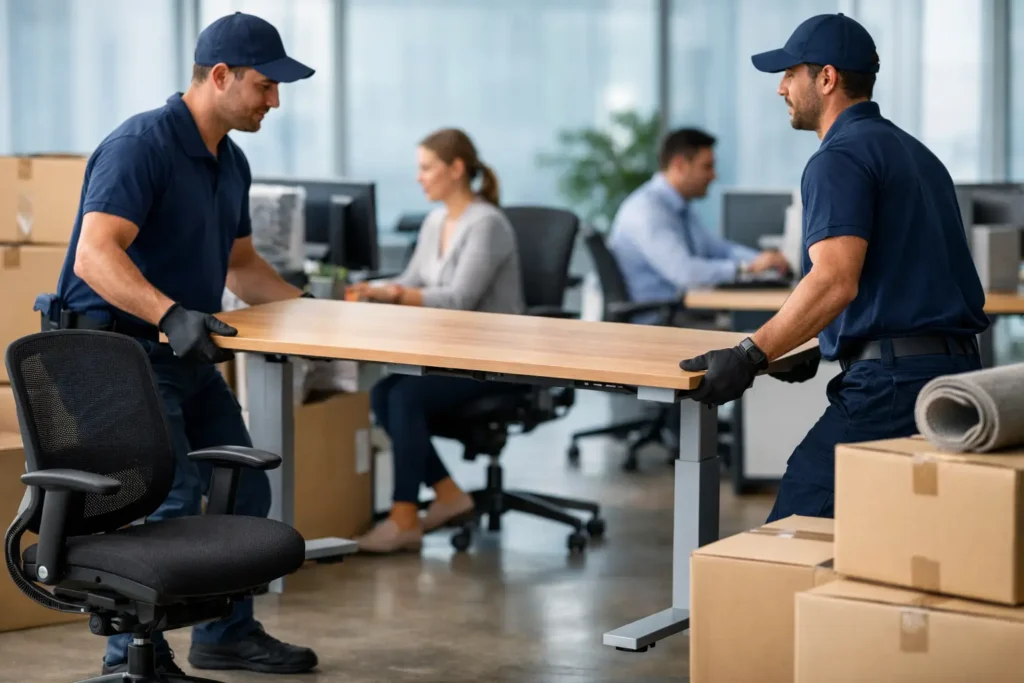
A desk move can look simple until monitors, cables, drawers, confidential files, and heavy worktops are involved. Knowing how to move office desks properly helps protect your equipment, prevents injuries, and gets your team back to work without a confusing first day in the new space.
For a small office, the best approach is usually a planned move outside normal working hours or in stages. The right method depends on the number of desks, access at both buildings, whether furniture must be dismantled, and how quickly the workspace needs to reopen.
Plan the Desk Layout Before Anything Is Lifted
Do not wait until moving day to decide where desks will go. Measure the new office, note doors, elevators, hallways, power outlets, and any areas that need to stay clear for fire safety. Then create a simple floor plan showing each desk position, including shared workstations and standing desks.
Assign every desk a number or team name and use the same identifier for its parts, chair, monitor, pedestal drawer, and cable bag. This may sound minor, but it avoids the familiar problem of a desk arriving in the right room while its keyboard, drawer unit, or mounting hardware ends up somewhere else.
If your new office layout is changing, check that desk sizes suit the space before the move. A large corner workstation may need to be taken apart, while compact desks may be safer and quicker to move intact. It depends on the furniture design and the route out of the building.
Confirm Building Access and Timing
Speak with both building managers well in advance. Some offices require elevator reservations, loading-dock bookings, insurance documents, or protective coverings in shared areas. There may also be restrictions on parking, delivery vehicles, and the hours when furniture can be moved.
A clear access plan saves time and reduces unexpected costs. Measure narrow doorways and stairwells, especially for executive desks, boardroom tables, and tall storage units. If an item will not clear a turn or elevator, you need to know before a crew is standing by with it.
Prepare Each Desk for Moving
A desk should be empty before it is moved. Ask employees to remove personal belongings, paperwork, food, and anything stored in drawers. Sensitive documents should be packed separately, labeled carefully, and kept under the control of the appropriate manager.
Unplug computers, monitors, desk lamps, phones, and charging stations. Take a quick photo of cable connections first, particularly at reception desks, shared printer stations, and docking setups. It gives your team an easy reference when they reconnect equipment at the new location.
Put cables, adapters, screws, and small accessories into a durable labeled bag or box. Label it with the desk number, not just the employee’s name. Names can change during a move, but the desk location on the floor plan remains clear.
Before packing electronic equipment, make sure files are backed up and IT has a plan for reconnecting network devices. Movers can safely handle furniture and boxed equipment, but only your IT team can confirm whether a workstation is ready to go live.
How to Move Office Desks Safely
The safest way to move office desks is to reduce their weight and protect the parts most likely to be damaged. Remove drawers where possible, secure loose sections, and take off glass tops, monitor arms, or detachable legs when the manufacturer allows it.
For heavy desks, avoid dragging them across floors. Dragging can damage carpet, vinyl, wood, desk legs, and the furniture frame itself. Use furniture dollies, moving blankets, stretch wrap, and corner protection instead. A desk with a delicate veneer or glass surface needs extra padding and should never be stacked under other items.
Always lift with enough people for the weight and shape of the desk. Keep the load close to your body, bend at the knees, and communicate before lifting, turning, or setting furniture down. Never try to catch a falling desk or force it through a tight doorway. Stop, reassess the route, and remove components if needed.
Large L-shaped desks and height-adjustable desks deserve particular care. Their weight is often uneven, and electric components can be damaged if cables or control units are pulled. If you are unsure how a desk comes apart, check the manufacturer instructions or have trained movers handle the disassembly.
Protect Floors, Walls, and the Furniture
Moving desks through an active building creates more risk than moving them across an empty room. Protect high-traffic routes with floor runners or coverings, and use moving blankets around desk edges. This is especially helpful in elevators, stairwells, and newly renovated offices where scuffed walls can quickly become an expensive issue.
Wrap individual desk components before loading. Legs, modesty panels, cable trays, and drawer pedestals can be damaged when transported loose in a vehicle. Keep components for each workstation together wherever possible, rather than loading all hardware into one mixed box.
Decide What to Dismantle and What to Keep Assembled
Dismantling every desk is not always the best choice. It takes time, creates more small parts to track, and may complicate reassembly. If a desk fits safely through the route and can be secured in the vehicle, moving it assembled can be more efficient.
However, disassembly is usually worthwhile for large workstations, desks with removable tops, furniture that must travel upstairs, and items that cannot fit through doorways or elevators. It also makes loading safer by reducing awkward weight and improving how the vehicle can be packed.
Keep all screws, bolts, and brackets in clearly marked bags taped to a protected desk component or placed in the matching workstation box. Do not tape hardware directly onto finished wood or glass, as adhesive can leave marks or damage the surface.
Load the Vehicle in Setup Order
A well-packed moving vehicle protects furniture and speeds up unloading. Heavier desks and storage units should be secured first, with lighter boxes and fragile equipment loaded where they cannot shift. Nothing should rest directly against an unprotected monitor, glass panel, or finished desktop.
Think about the unloading sequence, too. Items needed first at the new office should be accessible. Reception furniture, essential workstations, and IT equipment may need to come off before less urgent archive boxes or spare seating.
For a small business move, this is where professional support can make a noticeable difference. A trained crew can provide the right equipment, protect office furniture in transit, and coordinate the loading order around your floor plan. Before booking, ask what level of cover is included and whether disassembly, reassembly, packing, and after-hours work are available.
Set Up Desks Without Creating More Downtime
At the new office, place desks according to the numbered floor plan before unpacking everything else. Moving a desk once is manageable. Moving it again after chairs, computers, and boxes are in the way wastes time and increases the chance of damage.
Reassemble furniture carefully and check that each desk is level, stable, and clear of walkways. For height-adjustable desks, confirm that motors, controls, and cable management components are connected correctly before placing equipment on top.
Reconnect technology in a planned order. Start with internet and network equipment, then essential shared devices, then individual workstations. Have employees test their monitors, charging points, phones, and access to shared systems before the next workday begins. A simple issue log helps the team address missing cables or setup problems quickly.
When to Hire Office Movers
A man-and-van service may be suitable for a few desks moving locally, particularly when furniture is already disassembled and access is straightforward. A larger office relocation normally benefits from a dedicated moving team, especially if it includes packing, equipment protection, multiple floors, or a tight reopening deadline.
Professional office movers are also a sensible option when your team would otherwise spend valuable work hours lifting furniture and troubleshooting logistics. Dencomovers can tailor support for smaller office moves, from transporting a few desks to handling packing, loading, and placement at the new site.
The goal is not simply to get desks from one address to another. It is to give your staff a safe, organized workspace they can use right away. With a clear floor plan, careful labeling, and the right level of moving support, the first morning in your new office can feel like a fresh start rather than a recovery project.