
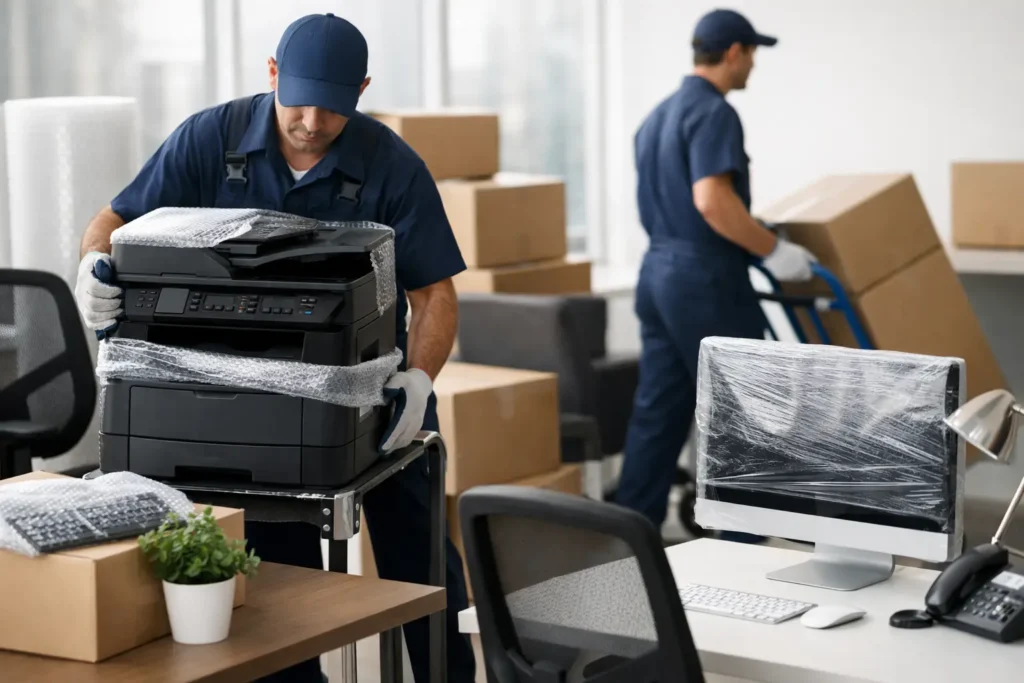
An office move usually looks simple on paper until the first monitor cable disappears, the copier will not fit through the door, and your team is standing around waiting to work. If you are figuring out how to move office equipment, the real job is not just getting items from one place to another. It is protecting valuable assets, reducing downtime, and making sure your business can get back up and running fast.
For a small business, that balance matters. Move too quickly and equipment gets damaged. Over-plan every tiny detail and the move drags on for days. The best approach is practical, organized, and realistic about what should be handled in-house and what is better left to trained movers.
How to move office equipment without disrupting work
The cleanest office moves start before a single box is packed. You need a simple inventory of what is moving, what is being replaced, and what should be disposed of before moving day. Offices tend to hold more outdated equipment than people realize, especially old printers, spare monitors, unused chairs, broken filing cabinets, and cables no one can identify.
Start by walking through the space room by room. Note every major item, including desks, chairs, storage units, computers, monitors, printers, phones, routers, and specialty equipment. If your business uses anything sensitive, such as point-of-sale systems, servers, or technical tools, flag those items early because they usually need extra planning.
This inventory does two things. First, it helps you avoid moving things you do not need. Second, it gives you a realistic view of the labor, packing materials, and vehicle space required. Small office clients often underestimate this part, and that is where delays begin.
Decide what can be moved in phases
Not every office move has to happen all at once. If your team can work remotely for a day or two, you may have more flexibility. If operations need to continue with very little interruption, a phased move may make more sense.
For example, archived files, spare furniture, and low-priority storage can often be moved first. Daily-use workstations, internet equipment, and shared devices should usually move last so the office stays functional as long as possible. This depends on your schedule, the lease timing, and how quickly the new space can be set up.
Pack office equipment by risk, not just by size
A common mistake is treating all office items the same. A desk can handle different packing than a monitor. A filing cabinet presents different risks than a coffee machine. The safest plan is to group items by how vulnerable they are during handling and transport.
Electronics need the most care. Before disconnecting anything, label cables clearly and take quick photos of each setup. That small step can save hours during reinstallation. If you still have the original boxes for monitors, computers, or other devices, use them. If not, strong moving boxes, anti-static wrapping where needed, packing paper, and cushioning material are worth using properly.
Printers and copiers can be trickier than they look. Some have moving internal parts, removable trays, toner cartridges, or glass sections that need to be secured before transport. Check the manufacturer instructions if available. If the machine is large or expensive, professional handling is often the safer option.
Furniture needs a different approach. Desks, shelving, and conference tables may need to be disassembled, but not always. Sometimes disassembly speeds up the move and prevents damage in tight hallways. Other times it creates unnecessary reassembly work. The right call depends on the item, building access, and whether the furniture is sturdy enough to move in one piece.
Label for setup, not just transport
Boxes labeled “office supplies” are not very helpful when you are trying to reopen quickly. Label by room, team member, or function instead. A box marked “Reception – drawer items” or “Marketing – monitor cables and accessories” is much easier to place correctly.
This becomes even more important with shared equipment. If several employees use similar monitors, keyboards, docking stations, or desk accessories, clear labels prevent confusion and reduce setup time.
Plan for building access and handling limits
Office moves often get delayed by the building rather than the equipment itself. Elevators may need to be booked. Loading zones may be limited. Some buildings restrict move times or require protective coverings in common areas. These details are easy to overlook and very hard to fix at the last minute.
Check both locations in advance. Measure doors, hallways, elevators, and stair access for larger items. Confirm where the moving vehicle can park and how far equipment needs to be carried. If there are access codes, concierge rules, or time restrictions, have those confirmed before move day.
This also affects labor planning. A short walk from truck to office is very different from carrying equipment through multiple secured doors and up narrow staircases. The move may still be manageable, but the timing and effort will change.
Use proper lifting and loading methods
If you are moving office equipment yourself, lifting technique matters more than speed. Back injuries and damaged equipment usually happen when people rush bulky items or try to lift without enough help. Heavier items should be moved with dollies, straps, sliders, or carts whenever possible.
Weight distribution inside the vehicle matters too. Heavy furniture and cabinets should be loaded first and secured well. Fragile electronics should not be stacked under pressure or allowed to shift during transport. Monitors should stay upright where possible, and loose accessories should be packed separately so they do not slide around and cause damage.
It is also worth thinking about insurance and accountability. If your office equipment includes valuable electronics or specialist devices, a professional moving team with trained handlers and clear insurance coverage offers more protection than an improvised DIY setup. That is especially true if your business cannot afford replacement delays.
How to move office equipment that is sensitive or high value
Some items need extra planning because their replacement cost is high, their data is sensitive, or both. That includes servers, external drives, networking hardware, specialized printers, medical devices, and any equipment tied directly to business continuity.
For these items, assign responsibility clearly. Someone should be in charge of backing up data, another person should confirm disconnection and packing, and another should oversee delivery and setup at the new location. When everyone assumes someone else is handling it, small but expensive mistakes happen.
There is also a timing question here. Sensitive equipment often should be moved after the new office is ready, not while electricians, contractors, or furniture installers are still working around the space. A slightly later move-in for critical systems can be safer than placing them in a half-finished environment.
Set up the new office for speed
A move is only successful when the office works. That means desks, chairs, and storage should be placed with a floor plan in mind before the truck arrives. If movers or staff have to stop and ask where every item goes, unloading takes longer and the new space gets cluttered fast.
If possible, have internet service, power access, and basic workstation placement ready in advance. Shared areas such as reception, meeting rooms, and printing stations should also be decided early. The goal is not perfection on day one. The goal is function.
For many small businesses, there is a trade-off between a fast move and a fully polished setup. It is usually smarter to get every employee operational first, then fine-tune furniture placement, cable management, and storage over the next day or two.
Know when to hire professional movers
Some office moves are straightforward enough for an internal team, especially if it is a very small office with light furniture and limited equipment. But once you add multiple workstations, larger printers, awkward access, or tight deadlines, professional support can save money as well as time.
That is because the real cost of moving is not just the truck. It is lost productivity, risk of damage, staff distraction, and the chance of reopening late. A trained moving team can pack, lift, load, transport, and unload more efficiently, while also reducing the strain on your employees.
For businesses that want a more manageable move, a company like Dencomovers can help with tailored support rather than a one-size-fits-all plan. That matters when you need practical help with packing, furniture handling, transportation, or simply getting the job done without unnecessary disruption.
A well-planned office move is rarely about doing everything perfectly. It is about making smart decisions in the right order, protecting the equipment your business relies on, and giving your team a smoother start in the new space. If you keep that focus, the move feels a lot less overwhelming and a lot more workable.